Affordable, all-in-one barn management
Run your barn from one place, without the big software bill.
Daily chores, horse care, boarders, feed and billing in one app that works on any phone at the barn door. No per-seat fees, and your boarders log in free.
Look around a full sample barn first - no sign-in, nothing to install.
Affordable by design
No per-seat fees
Add every groom, trainer and sitter you need. Your bill does not grow with your team.
Boarders are always free
Your boarders log in at no charge and see only their own horses, updates and bills.
Works on any phone
Nothing to install, built for one hand in the barn aisle, and it tells you plainly when the signal drops.
Made for the way barns really work
Boarding barns
Stalls, boarders, bills and open spaces in one place, with a page for people asking about a stall.
See how it fitsShow and training barns
Schedules, lessons, show entries, care records and the feed board the whole team can read.
See how it fitsLesson programs
Lesson packages, instructors and the arena booked without double-booking.
See how it fitsPrivate farms
Your own horses, paddock rotation, supplies and the jobs that never end - on one map.
See how it fitsRescues and sanctuaries
Long histories, complicated care and a crew of volunteers, with no per-seat fees.
See how it fits
Everything the barn needs
A Today screen that runs the day
Chores, appointments, doses due and what needs attention - one glance at the start of every shift, with a handoff note for the next person.
Every horse, fully on record
Profiles, feed, weight, medications, vaccines, documents, photos and a care schedule that tells you what is due before it is late.
A barn map you can build in minutes
Draw your stalls and rooms, put horses (with their photos) in them, and see who is where from across the barn.
Your paddocks on a satellite map
Tap out each paddock, see who is turned out where, and get a warning before two horses that should not share are put together.
The right access for everyone
Owners, managers, staff and boarders each see what they need. You choose, role by role, what each can do and open.
The business side, too
Boarding, income and expenses, inquiries and a public open-stalls page, without a second system.
And plenty more
- A display for the tack room TV
- Feed board and feed rounds
- Supplies that tell you when to reorder
- Medication schedules and a due-now queue
- Task photo proof
- Appointments and open visits for boarders to join
- Owner portal
- Messages between the barn and boarders
- Bulletin board
- Documents with expiry alerts
- Time clock and payroll export
- Incident reports
- Visitor check-in
- Rehab plans
- Lesson packages
- Printable weekly summary and year in review
- 30 designed emails, in light and dark
- Calendar you can add to your phone
- Paddock and stall lists you can download
- Full backup and restore
Why Stable SideKick
Reasons you can check for yourself, in the sample barn or in your own.
Everything in one app
Stalls, feed, care, chores, boarders, supplies and invoices live together, so you stop switching between sheets and chats.
Works on a phone at the barn door
It runs in your phone’s browser with nothing to install, and you can add it to your home screen.
Each person sees what their role allows
The owner sets, role by role, which tabs people can open and what they can do. The setting is per barn.
Boarders get a view of their own
They see their horse, their bills and the bulletin board, and can ask for a visit, without seeing anyone else’s.
Invite by email, code or QR
Send a one-time email invitation, or give out a barn code and let people scan its QR code.
Try a full sample barn first
The demo opens with no sign-in. Look around as an owner, manager, staff member or boarder.
Winter and daily routines are built in
A blanket planner that reads the forecast, hoof and paddock care, a daily turnout call, a handoff note and a feed-round checklist.
Print it, save it, download it
Daily sheets, stall cards, weekly and yearly reports, spreadsheets, a calendar file and a full backup.
Light, dark and larger text
Follow your device or choose a look yourself, and pick a text size that is easy to read.
What a barn needs
Compared with the usual alternative: spreadsheets, paper and group chats.
| What a barn needs | Stable SideKick | Spreadsheets, paper and group chats |
|---|---|---|
| Everything about a horse in one place | One profile with photos, feed, weight, medications, documents and a care schedule. | Spread across sheets, binders and old message threads. |
| Knowing what needs doing today | A Today screen with chores, appointments, doses due and a handoff note. | A whiteboard or a text thread that someone has to keep current. |
| The right access for each person | Roles and tab visibility you set for your barn. | Everyone sees the whole sheet, or nobody does. |
| Keeping boarders informed | A boarder view, an owner portal link and messages inside the app. | Photos and updates sent one by one. |
| Seeing what is due before it is late | Care schedules, document expiry alerts and low-supply alerts. | Remembered, or written on a wall calendar. |
| Winter blanket and turnout decisions | A planner that reads the forecast for the hours you choose. | Checking a weather app and keeping the list in your head. |
| Printed sheets for the barn | A daily sheet, stall cards and a stall QR code, printed from the app. | Typed up and printed by hand each time. |
| Writing to your boarders | Designed emails you word your own way, with your barn’s name and logo, sent to the roles or people you choose. | Typed fresh each time in an email app, or texted one person at a time. |
| Getting numbers into other tools | Accounting files for QuickBooks Online, Xero and Wave, Zapier or Make through webhooks, Google Sheets and an open API. | Retyping figures from one place into another. |
| Getting your records out | Downloadable lists and a full backup the owner can take any time. | Yours already, but scattered over many files and phones. |
What we are still building
So you know what to expect today.
- Subscriptions and billingNot switched on yet. The plans are on the pricing page.
- Emails sent on a scheduleEmails and reports go out when you send them. Sending them automatically on a schedule is still to come.
- Daily push and text alertsAlerts for low supplies, care due and expiring documents show inside the app. A scheduled push and text version is still to come.
Emails your boarders will actually read
30 designed emails are ready to send, in light and dark, with your barn’s name, address and logo on them.
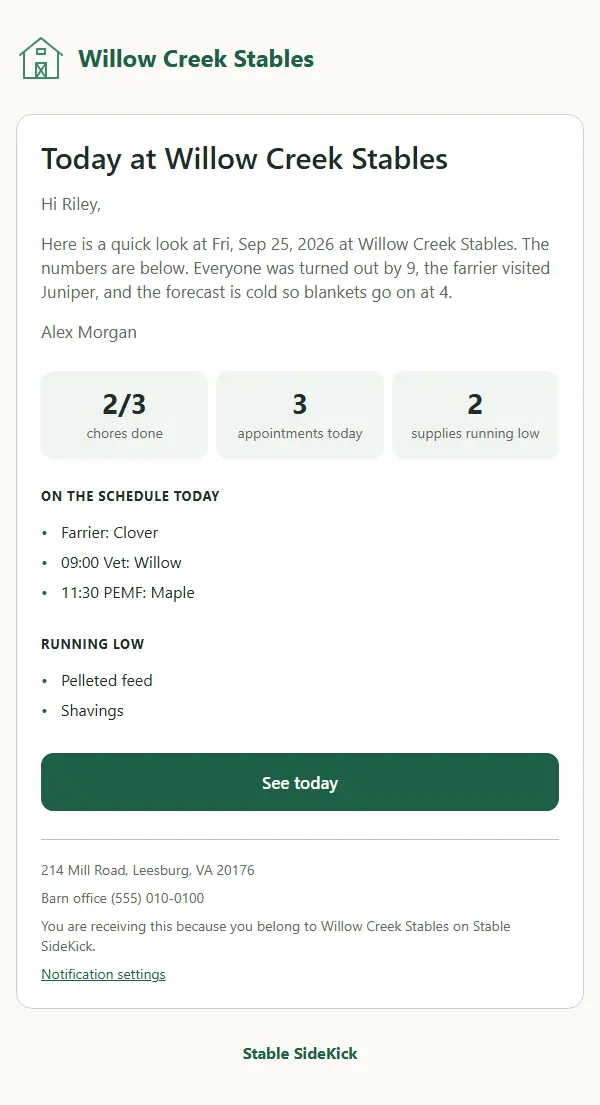
Daily report
A quick look at the day for boarders: a note in your own words, then tiles for chores done and appointments.
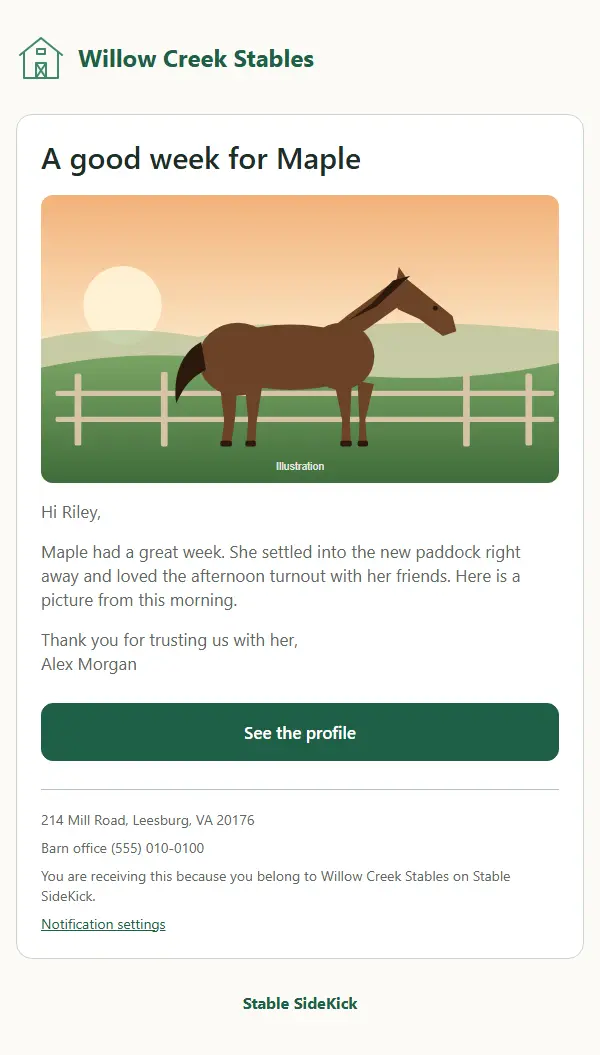
Horse update with a photo
A big photo and a few warm words about one horse, so the owner feels close even from far away.
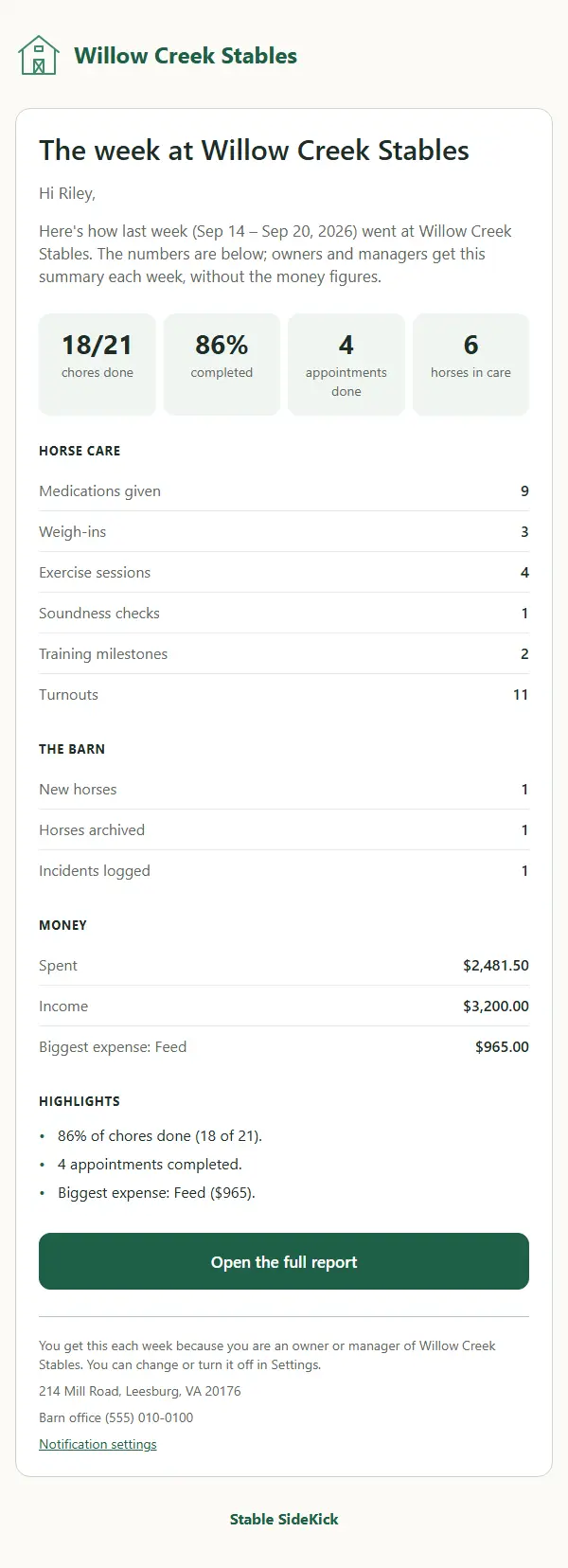
Weekly owner summary
Chores done, appointments, horses in care and a table of the week. Owners and managers see the numbers without the money figures.
The designed emails come with every plan. Report cards and reminders are available on Plus and up.
Works with the tools you already use
Accounting files
Download your income and expenses as a file for QuickBooks Online, Xero or Wave, available on Pro and up. A direct QuickBooks connection is coming soon.
Zapier and Make
Send barn events to Google Calendar, Slack, Google Sheets and other apps, available on Premier.
Sheets, calendar and your website
Read your barn lists into Google Sheets, subscribe to the barn calendar in your phone, and put a listing card on your own website.
An open API
A documented, read-only API and signed webhooks for anyone who likes to build, available on Premier.
Still on spreadsheets, group chats and a whiteboard?
See what changes the day you stop chasing information across five places.
Up and running today
- 1
Create your account
It takes a minute, with an email or Google.
- 2
Set up your barn
Add your horses and team, and draw your barn map.
- 3
Run the day
Open Today and let Stable SideKick show you what is next.
Your barn, your rules
Private to your barn
Only people you invite can see your barn. Nobody sees another barn's information.
You set the rules
Pick what each role can do and which tabs it can open. Boarders see only their own horses and bills.
Kept safe, and yours to take
Your records are stored in Google Cloud, and you can download a full backup of your barn any time.
Questions
What does it cost?
Subscriptions are not switched on yet, so it is free for now. When they are, there is a free plan with the everyday essentials, and paid plans unlock more features and text messages, never more horses. Staff, managers and boarders are always free, and registered nonprofits and rescues get the top plan free. The pricing page shows each plan.
Do you charge per user?
No. There are no per-seat fees, so adding a staff member, a sitter or a trainer does not raise your bill.
Do my boarders have to pay to log in?
No. Boarders log in free, always. They see their own horses, their bills and the bulletin board.
We run on spreadsheets, a group chat and a whiteboard. Is it worth switching?
For most barns, yes: one place for the day’s jobs, each horse’s record and the people who need to know. Your spreadsheets can be uploaded to get started, and you can download a full backup of everything at any time.
Can my boarders log in?
Yes. Invite them by email, with a barn code or with a QR code. Boarders see their own horses, their bills and the bulletin board, and can ask for a visit. They do not see other boarders’ horses or your finances.
Do I need to install anything?
No. It runs in the browser on a phone, tablet or computer. If you like, you can add it to your phone’s home screen from the browser menu.
Is my data private?
Only people you invite can see your barn, and nobody sees another barn’s information. You choose, role by role, what people can open. Your records are stored in Google Cloud, and the owner can download a full backup at any time.
Can I try it first?
Yes. “Try the demo” opens a full sample barn with no sign-in. You can look around as an owner, manager, staff member or boarder. The demo is read-only, so nothing you click is saved. After you sign up you can also make a practice barn and keep it as your own.
How do I get my horses in?
Add them one at a time from the Horses tab, or paste or upload a spreadsheet to add many at once. Every row is checked first, so a bad row adds nothing. People and contacts can be brought in the same way.
What about my phone?
It is built to be used one-handed in the barn aisle, and the pages fit a phone screen. The same account works on every device.
Does it work with my accounting program, Zapier or Google Sheets?
You can download your income and expenses as a file for QuickBooks Online, Xero or Wave, connect to Zapier or Make with webhooks, read your lists into Google Sheets and use the open API. A direct QuickBooks connection is coming soon. Each integration is labelled available now, coming soon or on request.
Can I see the barn calendar on my phone?
Yes. Download the calendar as an .ics file and open it in the calendar app on your phone or computer. It holds the events and appointments you have on screen.
Ready to try it in your barn?
Create an account and have your first horses on the board in minutes.